
Creative Coloring Mechanics
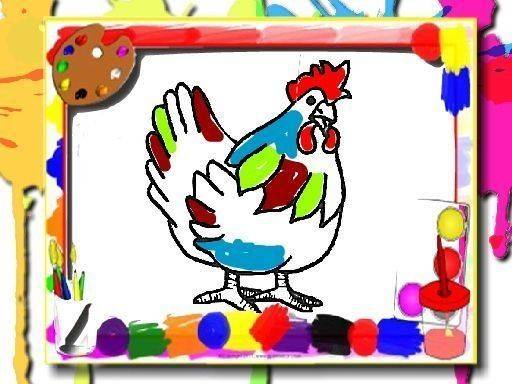
This activity centers on selecting from a gallery of chicken illustrations and applying color to different areas. A palette of hues appears alongside each picture, allowing users to click on a desired shade and then tap any section of the image to fill it. The brush tool enables precise coloring of smaller regions. Changes can be made at any time by picking a new color from the palette. Controls respond to mouse clicks or touch taps, making the process straightforward for young children and adults alike. There are no timers or scoring elements, so everyone can work at their own comfortable pace. An undo and redo function is available to correct any mistakes.
Visual Theme and Style
The illustrations focus on chickens in various poses and settings, from standing in a barnyard to pecking at feed. Each image uses clear, bold outlines that make it easy to see where one section ends and another begins. The artwork is cute and approachable, avoiding any complex or intimidating designs. This simplicity encourages artistic expression without requiring any drawing or painting skills. The color palette offers a range of options, from natural earth tones to bright, playful shades, allowing for creative experimentation.
Browser-Based Accessibility
The entire experience runs within a standard web browser, eliminating the need for any downloads or installations. This means it can be accessed on desktop computers, laptops, and tablets without compatibility issues. The interface is intentionally minimal, with no pop-ups or advertisements to disrupt the flow. This focused environment helps maintain a calm and uninterrupted coloring session. Because no special software is required, users can start coloring immediately after selecting an image.
Relaxed Progression and Freedom
There is no set path or required order for completing images. Players can choose any picture from the gallery and work on it for as long as they like. Once a picture is finished, it can be admired on screen or saved for later viewing. New images can be started at any time, and previous works can be revisited for further editing. This open-ended structure supports a stress-free experience where the primary goal is simply to enjoy the process of coloring.
Suitable for All Ages
The straightforward controls and lack of time pressure make this activity ideal for young children who are developing hand-eye coordination with a mouse or touch screen. At the same time, the relaxing nature appeals to adults seeking a peaceful way to unwind after a busy day. The absence of any competitive elements or complex rules ensures that everyone, regardless of age or skill level, can participate and find satisfaction in creating colorful artwork.






Comments
0 comments