Playful Prism
Advertisement
Color Course Navigator
Coordination Precision

Color Course Navigator

🎮 Survive Games🕐 2026-07-21

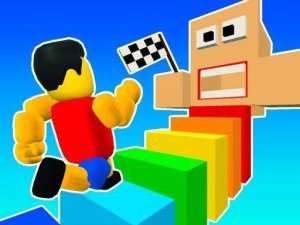
Color Course Navigator offers a focused experience for players who enjoy testing their timing and coordination. The controls are responsive across both desktop and mobile, which is crucial for navigating the increasingly complex layouts. The visual design uses bright colors to clearly mark paths and obstacles, reducing confusion. The difficulty curve feels well-paced, allowing players to build skills without frustration. It is a solid choice for short gaming sessions where you want a clear goal and immediate feedback.

About this game

Course Design & Visual Style

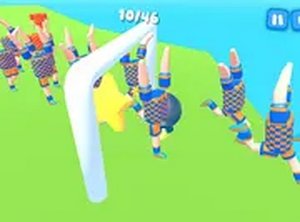
Each level presents a new arrangement of colorful platforms and moving sections. The visual design uses bright, distinct colors to help players quickly identify safe paths and upcoming obstacles. Courses vary in layout, with some requiring precise jumps between narrow ledges and others introducing elements that shift position as you progress. The clean, uncluttered look keeps focus on the action without distractions.

Control Scheme & Responsiveness

Players control their character using keyboard inputs on a computer or touch gestures on mobile devices. The controls respond immediately to input, which is essential for navigating courses that require split-second decisions. Movement feels smooth, allowing for both quick adjustments and careful positioning. The control system is designed to be intuitive, so new players can start moving right away while experienced players can refine their technique.

Difficulty Curve & Learning Pace

The early courses introduce basic movement and simple gaps, giving players time to understand the controls and physics. As you advance, the layouts become more complex, with faster-moving sections and tighter spaces. This gradual increase in difficulty means players can build their skills naturally. Each failed attempt provides feedback on timing, encouraging repeated tries until you master the sequence.

Accessibility & Platform Support

This game runs directly in a web browser, requiring no downloads or installations. It works on desktop computers, tablets, and smartphones, making it easy to play during short breaks or longer sessions. The family-friendly design means the content is suitable for all ages, with no inappropriate themes or complex narratives. The straightforward setup allows anyone to start playing within seconds.

Replay Value & Skill Development

Completing a course offers a sense of accomplishment, but the real draw is improving your own performance. Players can revisit earlier levels to achieve cleaner runs or faster times. The game rewards practice and observation, as learning the timing of each obstacle is key to progress. This focus on personal improvement keeps the experience engaging over multiple sessions.

Compatibility

Play on Any Device | Chrome / Safari / Edge Recommended

FAQ

Frequently Asked Questions

Is Color Course Navigator free to play?
Yes, the game is completely free to play in your browser. There are no hidden costs, subscription fees, or in-app purchases required to access any part of the content.
Can I play Color Course Navigator on my phone?
Absolutely. The game is designed to work on mobile devices through a web browser. Touch controls let you guide your character by tapping and swiping on the screen.
Does Color Course Navigator save my progress?
Progress is typically saved using your browser's local storage, so your completed levels and any unlocked content will be available when you return, as long as you use the same device and browser.
What happens when I fall off a course?
If your character falls or hits an obstacle, you will need to restart the current level from the beginning. This encourages careful timing and learning from each attempt.
Are there different characters to choose from?
The game focuses on the core obstacle course experience. While the specific input does not confirm character customization, the main appeal is navigating the levels themselves rather than character selection.
How long does it take to complete all courses?
The total time depends on your skill level and how quickly you adapt to the increasing difficulty. Some players may finish in a few sessions, while others may take longer to master the later courses.

Comments

0 comments
U
User
Loading comments...

Share this page

Copy the link below and share it with your friends!