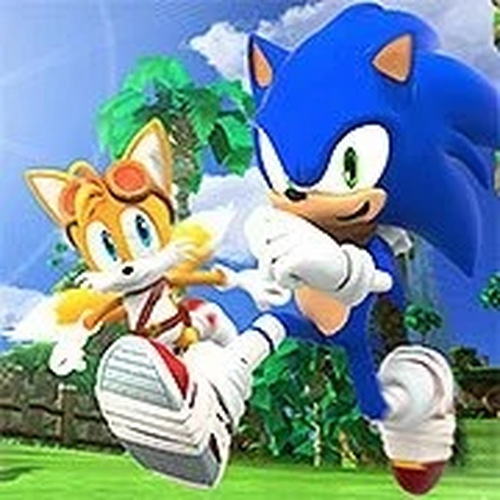
Sonic 3 & Knuckles Race Challenge delivers a delightful 2-player racing experience. The controls are simple, the levels are vibrant, and the competitive element adds excitement. It's a great choice for friends looking for a quick, family-friendly game. The nostalgic soundtrack and colorful graphics make it a joy to play.
Sonic 3 & Knuckles Race Challenge is an exciting 2-player racing game that brings the classic Sonic experience to your computer. Inspired by the beloved Sonic franchise, this game lets you and a friend compete head-to-head on the same keyboard. Navigate through vibrant levels, collect rings, and use speed boosts to outpace your opponent. The game captures the essence of Sonic's fast-paced adventures, offering a nostalgic yet fresh challenge. Whether you're a longtime fan or new to Sonic, this game provides simple, family-friendly fun. Perfect for game nights, it encourages friendly competition and quick reflexes. With its colorful graphics and energetic soundtrack, Sonic 3 & Knuckles Race Challenge is a delightful addition to any gaming session. Get ready to race and see who can claim victory in this thrilling contest!
To play Sonic 3 & Knuckles Race Challenge, you need a friend to join you on the same computer. The game is designed for 2 players, so grab a buddy and set up your controls. First, hover your mouse cursor over the game window. You will see icons at the bottom; click the right-most icon to access the control settings. A game control image will appear. Click on Player 2 at the top of the screen. Then, click on the buttons inside the images to assign your keyboard keys for player 2 movements and actions. Player 1 uses the default controls. Once both controllers are set, start the race. Use your keys to move, jump, and collect items. The goal is to reach the finish line before your opponent. Practice makes perfect, so adjust your controls for comfort. Enjoy the race!
Classic Sonic racing with 2-player local multiplayer. Vibrant levels filled with rings and speed boosts. Simple keyboard controls for easy setup. Nostalgic soundtrack and colorful graphics. Family-friendly competition for all ages.
To win in Sonic 3 & Knuckles Race Challenge, focus on collecting rings and using speed boosts effectively. Practice your timing for jumps and turns to maintain momentum. Familiarize yourself with the track layout to anticipate obstacles. Play with a friend to develop strategies and improve your reflexes. Adjust your control settings for comfort before starting a race. Consistent practice will help you master the game and claim victory.