
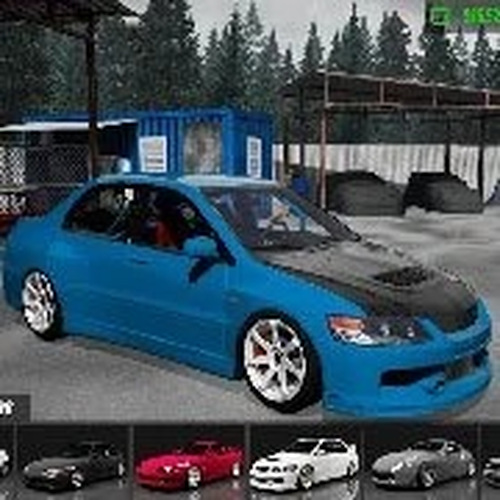
Drift Physics That Demand Precision
Mountain Drift Racing Simulator builds its entire experience around one skill: holding a controlled drift through a corner without losing momentum. The physics model simulates tire grip and weight transfer, so the car reacts to how you brake, steer, and apply throttle. Braking late or steering too aggressively unsettles the chassis and costs speed. The handbrake, mapped to the Space bar, initiates sharp drifts but drains momentum if held too long. Every input has a consequence, and the game never offers arcade-style forgiveness.
Reading the Mountain Roads
Courses are set on mountain passes with tight turns and steep descents. The terrain itself dictates your approach: a downhill hairpin requires earlier braking and gentler steering than a flatter bend. Each course rewards repeated runs, because learning the optimal racing line and braking point matters more than raw speed. Difficulty varies across the mountain routes, giving newcomers a place to build fundamentals while experienced drivers chase cleaner, faster drift angles.
Controls and Shifting
Standard keyboard inputs handle the driving: W accelerates, S brakes, and A and D steer. Gear shifting is supported with Shift for upshifting and Control for downshifting, letting players manage power delivery through corners. The control scheme is simple to learn but difficult to master, because smooth, measured inputs consistently outperform aggressive corrections. Players who experiment with shift points and gear ratios can find a setup that suits each corner type.
Practice, Replays, and Self-Improvement
There is no shortcut to a clean drift. The game encourages practice on individual courses, and replay review helps identify where momentum was lost or a line was missed. Braking before a turn and accelerating smoothly out of it keeps the car balanced. Using the handbrake sparingly preserves speed. This loop of run, review, and adjust gives the game a long tail for players who enjoy refining a single technique.

Editorial Notes