
Game Introduction
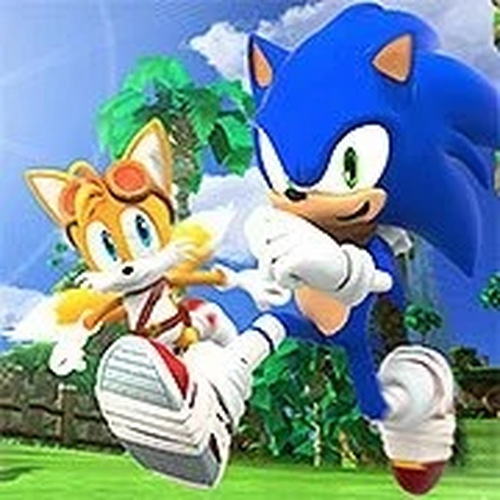
Sonic Speed Dash Race is a 2-player local racing game inspired by the classic Sonic franchise. Players compete head-to-head on the same keyboard, navigating through vibrant levels filled with rings and speed boosts. The core objective is to reach the finish line before your opponent, using quick reflexes and smart use of items. This game captures the fast-paced, energetic feel of Sonic adventures while offering simple, family-friendly competition. With its colorful graphics and upbeat soundtrack, Sonic Speed Dash Race is ideal for game nights or casual play sessions. Whether you are a longtime fan or new to the series, the game provides an accessible and enjoyable experience for all ages.
How to Play
To play Sonic Speed Dash Race, you need a friend to join you on the same computer. The game is designed for two players, so set up your controls before starting. First, hover your mouse over the game window and locate the control settings icon at the bottom. Click it to view the control configuration screen. Assign keyboard keys for Player 2 movements and actions, while Player 1 uses the default controls. Once both controllers are set, start the race. Use your assigned keys to move, jump, and collect items. The goal is to cross the finish line before your opponent. Practice makes perfect, so adjust your controls for comfort and enjoy the race.
Game Features
Sonic Speed Dash Race includes classic racing action with 2-player local multiplayer. The game features vibrant levels filled with rings and speed boosts that enhance gameplay. Simple keyboard controls make setup easy and accessible. The nostalgic soundtrack and colorful graphics create an engaging atmosphere. This family-friendly competition is suitable for all ages, encouraging friendly rivalry and quick reflexes. The game focuses on straightforward racing mechanics without complex rules, making it easy to pick up and play.
Tips for Success
To succeed in Sonic Speed Dash Race, focus on collecting rings and using speed boosts at the right moments. Practice your timing for jumps and turns to maintain momentum. Familiarize yourself with the track layout to anticipate obstacles. Playing with a friend helps develop strategies and improve your reflexes. Adjust your control settings for comfort before each race. Consistent practice will help you master the game and claim victory.







Comments
0 comments